Evaluating the 615 PS Watercolor Brushes for Digital Floral Design
For graphic designers, hobbyists, and small business owners creating DIY invitations or greeting cards, the transition from traditional media to digital tools often presents a challenge: retaining the organic feel of hand-painted art while leveraging the efficiency of software. The 615 PS Watercolor Brushes collection addresses this specific need by offering an extensive library of pre-rendered floral elements designed for Adobe Photoshop. This article evaluates the utility, benefits, and limitations of this brush set to help you determine if it aligns with your current design workflow and project requirements.
Understanding the Composition of the Brush Set
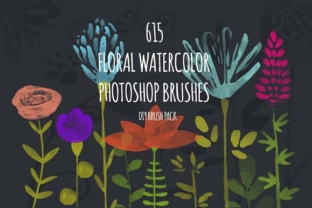
At its core, this product is not a single tool but a comprehensive asset library. The term "615 PS Watercolor Brushes" refers to a specific compilation of 615 individual brush presets. Unlike standard texture brushes that apply a stroke of paint, these function primarily as stamps. Each brush contains a distinct, hand-drawn element that has been scanned from real watercolor paintings, edited for clarity, and converted into a usable Photoshop format.
The collection is categorized into several functional groups:
- Flowers: A wide variety of bloom types in different stages of opening.
- Foliage: Leaves and stems necessary for constructing realistic arrangements.
- Details: Pistils and stamens that add depth and botanical accuracy.
- Accents: Bonus elements such as swirls and dots for decorative framing.
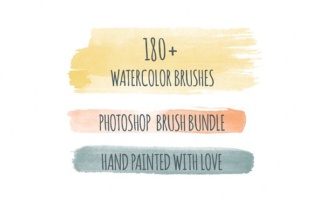
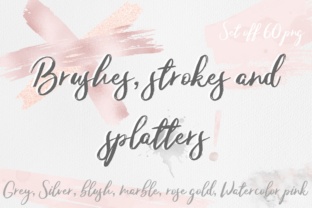
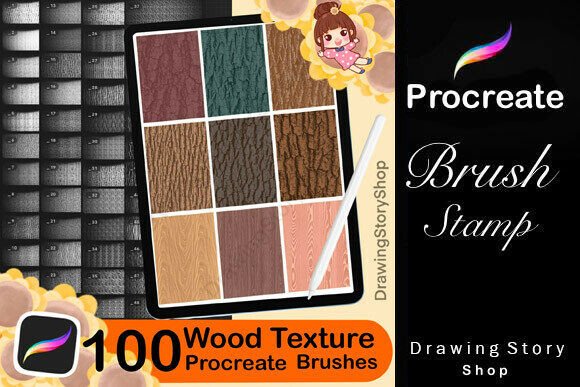
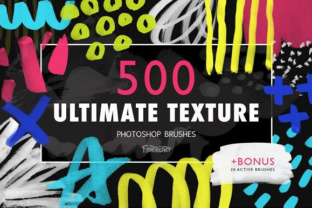
The sheer volume of assets is a defining characteristic. Because the library is so large, providers often split the visual previews into multiple sections. Users should expect to navigate through several preview images to view the full range of available styles before making a acquisition decision.
Practical Applications and Workflow Efficiency
The primary value proposition of the 615 PS Watercolor Brushes lies in workflow acceleration. Creating intricate floral bouquets from scratch using standard painting tools requires significant skill in digital illustration, color theory, and brush dynamics. This set bypasses the need to paint every petal individually.
The operational process is straightforward:
- Open a new document in Photoshop.
- Load the brush file (.abr).
- Select a foreground color.
- Click or drag to stamp the element onto the canvas.
Ideal Use Cases
This toolset is a strong fit for specific user profiles:
- DIY Entrepreneurs: Individuals creating printable wall art, planners, or stationery who need professional-looking illustrations without hiring an illustrator.
- Web Designers: Professionals needing lightweight, scalable floral accents for headers or backgrounds without the overhead of large photographic files.
- Students and Learners: Those studying composition and color who want to experiment with arranging floral elements without struggling with the technical mechanics of digital painting.
Benefits and Trade-offs
When evaluating whether to integrate these brushes into your toolkit, it is essential to weigh the advantages against potential limitations.
Benefits: The most significant advantage is the authentic texture. Because the source material consists of real watercolor paintings that were scanned and processed, the brushes retain the natural bleeding, grain, and transparency variations typical of wet media. Achieving this look purely digitally often requires complex layer blending modes and custom brush settings. Furthermore, the 615 PS Watercolor Brushes offer immense variety. With over 600 options, the risk of repetitive patterns in your final design is minimized, provided the user takes the time to rotate and recolor the elements.
Trade-offs and Considerations:
- Limited Customization: While you can change the color of a stamped flower, you cannot easily alter its shape or internal structure without using advanced transformation tools or liquify filters. If a project requires a flower viewed from a very specific, unusual angle not present in the set, these brushes may not suffice.
- File Management: Loading 615 brushes at once can clutter the Photoshop brush panel, potentially slowing down navigation. It is often advisable to organize these into sub-libraries or load only the specific categories needed for a current project.
- Resolution Dependency: As with any raster-based brush, the quality is tied to the original scan resolution. While generally high enough for print, users intending to create massive format signage should verify the DPI of the source strokes to ensure they do not appear pixelated when scaled up significantly.
Comparing Alternatives
Is this set the right choice, or should you consider alternatives? The decision depends on your end goal.
If your objective is speed and consistency for commercial templates or rapid prototyping, the 615 PS Watercolor Brushes are likely superior to vector alternatives. Vector floral packs offer infinite scalability but often lack the organic, imperfect texture of real watercolor unless heavily stylized.
Conversely, if your goal is artistic mastery or creating highly specific, one-of-a-kind fine art pieces where every brushstroke must be deliberate and unique, relying solely on stamp brushes may feel restrictive. In such cases, investing time in learning dynamic watercolor brush engines (which simulate water flow and pigment dispersion) might be a better long-term investment, despite the steeper learning curve.
Additionally, for users working exclusively in vector-based software like Adobe Illustrator, these Photoshop brushes are incompatible unless imported as raster images, which defeats the purpose of vector workflows. In those scenarios, dedicated vector floral libraries would be the logical alternative.
Making the Decision
Ultimately, the 615 PS Watercolor Brushes represent a pragmatic solution for bridging the gap between traditional aesthetics and digital production. They are not a replacement for artistic skill but rather a force multiplier that allows designers to focus on composition and layout rather than rendering individual petals.
Before committing, review the full preview galleries carefully. Given the size of the set, ensuring that the specific style of the hand-drawn elements matches your brand identity is crucial. If your projects involve frequent creation of floral motifs for cards, invitations, or digital decor, this collection offers a robust, time-saving foundation. However, if you require total anatomical control over every plant element or work strictly in vector environments, you may find specialized vector packs or dynamic painting tools more aligned with your needs.
By understanding both the capabilities and the constraints of this extensive brush library, you can make an informed decision that enhances your creative process without introducing unnecessary workflow bottlenecks.